Bargain Hoot

spend wisely ~ give cheerfully

  • home
  • about
  • before & after
    • Grocery Transformations
    • Interiors
    • Exteriors
    • Upcycle
    • DIY
    • Decor
      • Decor and Home ideas for Less
  • recipes
    • Eats and Treats
    • Party foods
    • 5 Star Recipes
    • 5 Dollar Dinners
    • Frugal Food Blogger Map
    • Pinterest Recipes
      • Pinterest Party:: cooking our way through all those recipes
  • events
    • Holidays and Parties
    • Pinterest
    • Weddings
  • How To
    • cleaning and organization
    • Crafting and Sewing
    • Food Storage and Getting started
    • Good Ideas and Give-Aways
    • Gardening
    • How to Video’s
    • Outlet and Thrift shopping
    • Path to Wellness from Rheumatoid Arthritis

How to edit your board cover photos on Pinterest

April 10, 2012

Did you ever wish you could adjust the position of the pictures

on your Pinterest board covers??

I’ve been wanting to make my pictures look better and didn’t realize how to do it.

So here’s a little tidbit of info in case you are interested 🙂

If you go to your board page  and see a photo that you’d like to adjust…

like the one in my bottom right board…
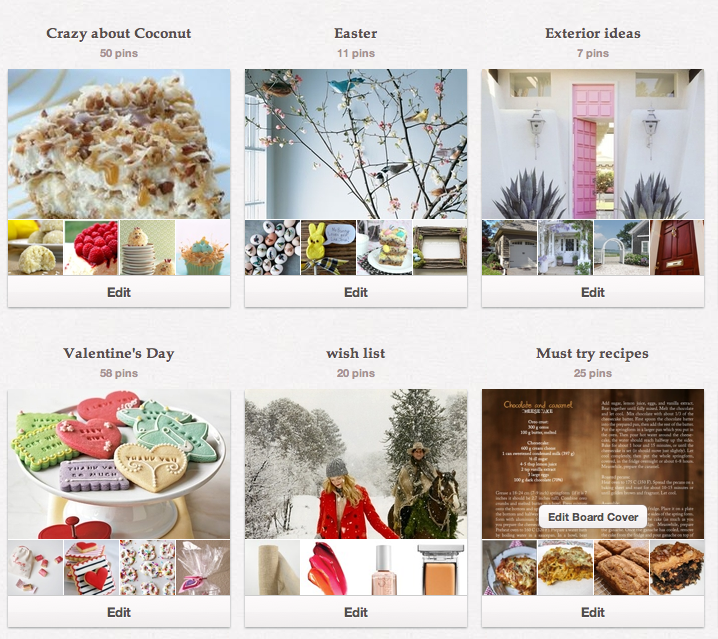
Edit a pinterest cover picture

Just hover over it and you’ll see the “Edit Board Cover” button
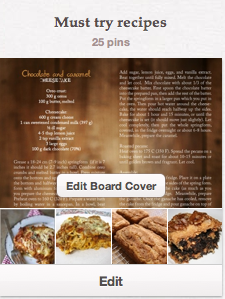
If you click on it….. this next screen will appear….
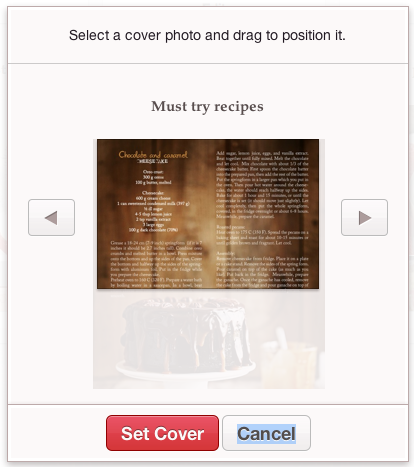
If you put your cursor over the photo you can move it around

until you like the position of the photo.
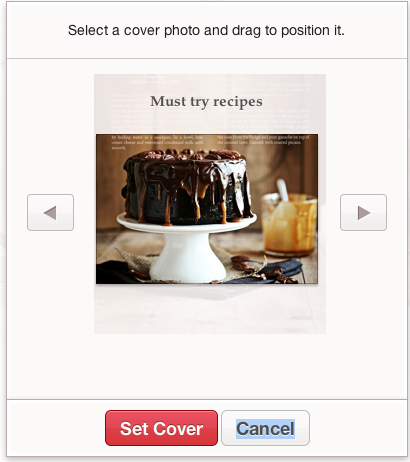
Now click “set cover” and the new picture will appear on your board page.

If you change your mind and want a totally different photo

you can click the left and right arrows and pick from your other pins.

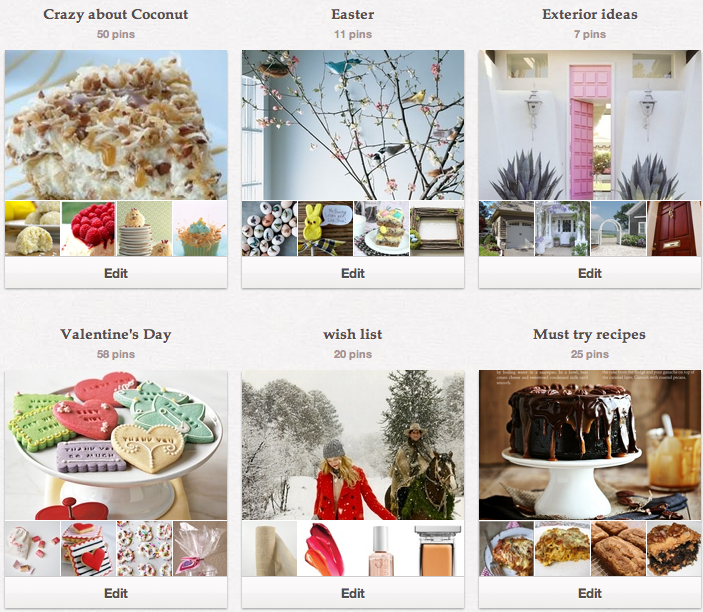
Below is the way my boards look with the photo adjustment at

the bottom right.
 

Are you asking yourself.. what is Pinterest and how can I join??

just leave me a comment and I’ll send you an invitation.

It’s the quickest way to get started….


Related Posts with Thumbnails
  • Pinterest
  • Email

6 Comments Filed Under: 31 Days of Good Ideas

Comments

  1. Jeanette Van Wicklen says

    April 11, 2012 at 8:46 pm

    thanks so much for the sweet comment today on my blog!
    and I’m SO glad you told me about this!! gotta love Pinterest!!
    xoxo

  2. Gina at CampClem says

    April 11, 2012 at 9:23 pm

    Who knew?! Thanks for the tip! I might have to go pretty up a few of my boards!

  3. bargain hoot says

    April 11, 2012 at 11:32 pm

    Gina, I’m so glad it helped!

  4. bargain hoot says

    April 11, 2012 at 11:33 pm

    Jeanette, love your new house and what you’ve done with the kitchen!!
    Can’t wait to see more!

  5. susie says

    May 5, 2012 at 2:24 pm

    When I tried to change board cover on one of my boards, I did as described, above. However, when I clicked on set cover – the little wheel on my mac just kept going around and around and around and it never set it. Help?

  6. bargain hoot says

    May 5, 2012 at 4:00 pm

    Hi Susie… The spinning wheel on your Mac doesn’t have anything to do with Pinterest. I’ve had it happen to me in the past and here is a post I did about the spinning rainbow wheel and how to stop it!!
    https://bargainhoot.com/2011/09/19/how-to-stop-the-spinning-pinwheel-on-a-mac/

Leave a Reply

Your email address will not be published. Required fields are marked *


How To Save

  • Craft Club
  • Crafting – Sewing
  • Decor and Home ideas for Less
  • Free Printables
  • Holidays and Parties
  • Pampered Chef Outlet
  • Weddings

Topics

  • 31 Days of Good Ideas
  • 5 Dollar Dinners
  • Eats and Treats
  • Food Storage Plan- Emergency Kits
  • How to Videos
  • My Path to wellness from Rheumatoid Arthritis
  • Our Home
  • Share Your Deal Link Party
  • Top Pinterest Pins
  • Vintage Campers and Travel
Just 1 Minute

Projects

recycled sweaters
bargain hoot sidebar

favorite cookies

bargain hoot sidebar 4

Birch paper

bargain hoot sidebar 3

felt flower tutorial
peppermint candy tray small

Visit Bargain Hoot.com = DIY crafts's profile on Pinterest.

Featured In:

Screen Shot 2014-12-30 at 11.36.36 AM
Screen Shot 2014-12-30 at 11.41.17 AM

Copyright © 2026 · Blog Customizations by Moritz Fine Designs LLC

Copyright © 2026 · Graceful Theme on Genesis Framework · WordPress · Log in